Quick answer? Just make sure you are running SYSPRO-v6.1-SP1.
The Details
Customers are moving to Windows 8.1, so does SYSPRO 6.1 run on Window 8.1? Initial GoogleFu says no. More disheartening news SYSPRO 7.0 Sneak Peak does not list Windows 8! Yet I see SYSPRO 7 (due for release in 2013 ???) has been designed with … improvements for Windows 8. And some official documentation (username/password and support contract required) I found on support.syspro.com says:
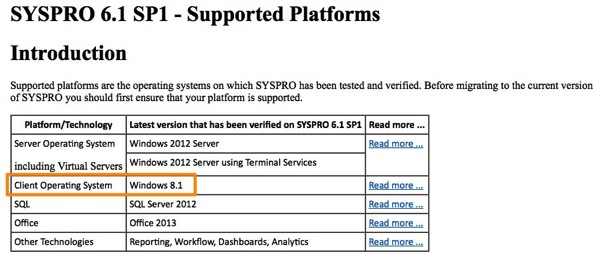
I Like Trains. So lets see what happens.
After installing SYSPRO-6.1-port060 under Windows 8.1 I receive this error dialog.
(Error dialog screenshot — image not available)
- Ran repair on the SYSPRO 6.1 package
- Ran repair on the SYSPRO Runtime Components
Ran SYSPRO 6.1 again.
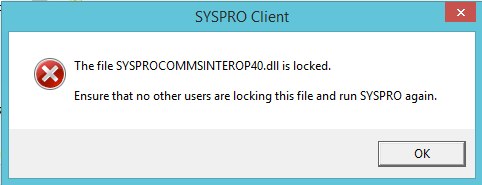
Only to have the dreaded side-by-side error dialog pop up again.
Removed all the Microsoft Visual C++ 2005 Redistributable Packages as recommended by this article.
Side-by-side error dialog. Did I mention SYSPRO is a bizatch to work with? All the documentation, help, user community is hidden behind support.syspro.com which requires a username/password and support contract. GoogleFu won’t work on most issues.
I went to look for a new release of SYSPRO client. Jumped over to TechArea (username/password required) at SYSPRO and in the CDImages I found SYSPRO-v6.1-sp1-DVDImage.zip.
Unzipped, installed it, and viola! Works.
Just sharing the knowledge.